


Glassify - Widgets & Themes
4.7183.00 Reviews
App Specs
- Version
- 1.4.5
- Updated On
- License
- Free
- Downloads
- 500,000+
- Developer
- Mahmoud Zadah
- Categories
- Personalization
- Platform
- Android
Screenshots
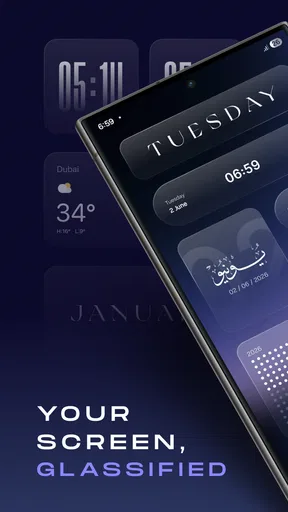
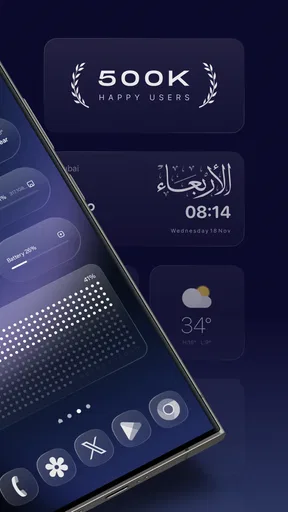
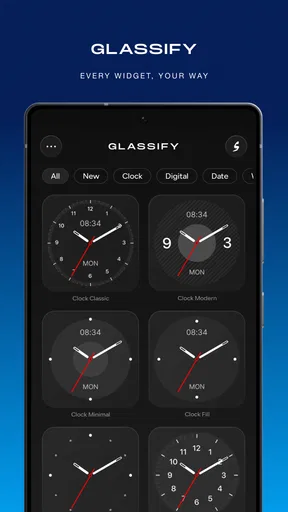
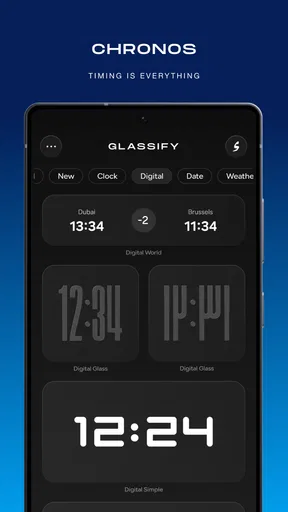
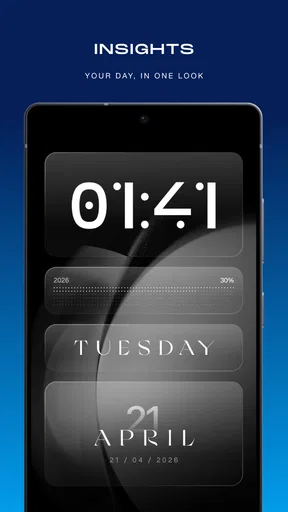
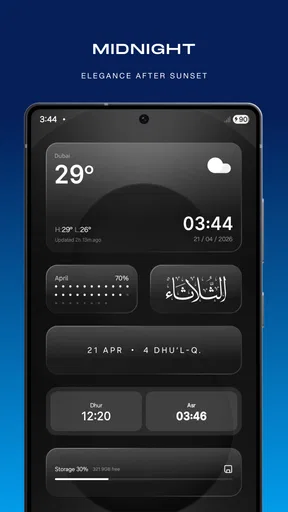
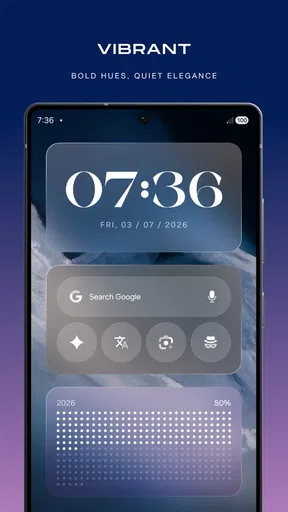
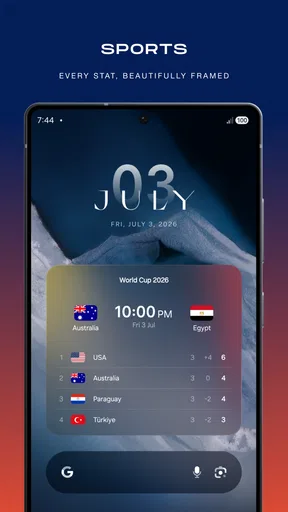
 Analysis by AppCompare
I usually start a home-screen redesign with a practical annoyance rather than a color palette: maybe the clock is hard to read, the calendar takes up space without helping, or the whole screen feels like a jumble of mismatched pieces. Glassify - Widgets & Themes is aimed at that sort of makeover, using glass-inspired widgets and customization to make a phone feel more deliberately put together. I like the idea most when the goal is not simply to decorate, but to make the information I glance at every day easier to find.
From a cluttered screen to a more personal layout
Before changing anything, I’d take a quick look at the screen I actually use: which details do I check first, which apps do I open most, and where does visual clutter get in the way? That small check matters because a striking theme can look great in a preview yet become inconvenient if it pushes useful shortcuts out of reach. With a personalization app, the best result is not the most elaborate one; it is a layout that still works when I am in a hurry.
That is where Glassify’s focus on adjustable widgets can be useful. I would start with one or two pieces that serve a clear purpose, such as a clock or calendar, and build around them rather than changing every part of the screen at once. Trying a smaller change first makes it easier to judge whether the glass effect improves readability or merely adds decoration. It also gives me a simple way to back away from a design choice that looks better than it functions.
First Impressions and Setup
When you first dive into Glassify - Widgets & Themes, the app welcomes you with a really neat, minimalistic interface. Setting it up is a breeze, even for someone like me who tends to break a sweat at the thought of tech setups. You just download it, open it up, and you’re pretty much ready to start customizing.
The app offers a variety of widgets and themes that are not only visually stunning but also highly functional. I was particularly taken with the way everything is laid out. It’s like they knew we all secretly want a phone that looks like it belongs on a spaceship, but without any complicated setup.
Customization Options Galore
Now, let’s talk about what makes Glassify a standout – the customization options. Whether you're into a sleek glassy look or something more vibrant, there's something here for everyone. I spent hours just playing around with different combinations of widgets and themes. It’s like being a kid in a candy store, but instead of candy, it’s all these amazing aesthetic options.
One of the things I really appreciated was the variety of widget styles. From weather to calendars and even some funky clock designs, the widgets are not just pretty but incredibly useful. Plus, they come in various sizes, so you can mix and match them to fit your style and needs.
Worth Reading Before You Choose

EA SPORTS FC Mobile 26 Is a Bigger Football Game, but It Takes Time

Flipboard Shows What News Apps Must Do Beyond the Feed

Switching to Android Auto Means Rethinking Your Driving Routine

Google Calendar Makes a Crowded Week Easier to Manage

Ludo King Makes the Most of the Minutes Between Plans

Baby Panda World Brings Quick Play to Modern Phones, but Its Game Library Feels Busy
For a more considered setup, I’d choose a single visual direction and use it to guide the rest of the screen. For example, a muted glass look can be paired with a restrained wallpaper, while brighter widgets may need more empty space around them so their details remain easy to scan. The practical trade-off is that more customization can mean more time spent comparing combinations. I find it helps to decide what the screen should do before deciding how it should look.
Making the design work through the day
A useful test is to use the redesigned screen during an ordinary day, not just admire it while setting it up. In the morning, I might want a quick look at the time and calendar; later, I may reach for messaging or a work app without thinking. A widget that looks polished but makes those usual actions harder has not improved the experience. I’d keep the most-used apps close to where my thumb naturally lands and treat decorative elements as secondary.
This is also a good point to consider visibility. Glass-like styling can feel airy and refined, but translucent or low-contrast elements may be less comfortable against some wallpapers or in bright surroundings. If the information is difficult to read at a glance, I’d change the background or simplify the surrounding layout before adding more widgets. A clean screen is often more useful than a densely customized one.
Usability and Performance
Let’s get real—what’s the point of having a stunning home screen if it slows your phone down to a crawl, right? Thankfully, Glassify doesn’t skimp on performance. Even with a bunch of widgets active, my phone kept running smoothly. I didn’t notice any lag or stutter, which was a huge relief.
The app is designed to be lightweight, which means it doesn’t hog your device’s resources. So, you get all the style without sacrificing speed. It’s like having your cake and eating it too, and who doesn’t love that?
In day-to-day use, I’d still avoid filling every available gap simply because the editor makes it tempting to keep experimenting. A few purposeful widgets make it easier to spot what matters, while an overloaded screen can turn a quick glance into a search. If a change feels slower to navigate, I’d remove the least useful element first rather than rebuilding the whole layout. That kind of small adjustment is often the difference between a pretty setup and one I keep using.
Where it fits among personalization options
Compared with relying only on a phone’s built-in wallpaper and theme controls, a dedicated widget app gives more attention to the layout and appearance of glanceable information. That makes Glassify a stronger fit for someone who wants clocks, calendar details, and theme elements to feel like part of one design. On the other hand, if I only want a new wallpaper or a quick color change, the built-in options are simpler and avoid adding another customization layer.
It also suits a different user than someone who wants to replace their entire home-screen experience with a complex launcher. Glassify’s appeal is the visual treatment of widgets and themes, not a reason to overhaul every habit on the phone. I’d choose it when I want a more coordinated screen while keeping my familiar app arrangement; I’d look elsewhere if deep control over navigation and launcher behavior is the main goal.
Handoffs, cost, and choosing the right amount of change
Customization usually involves a handoff between the design app and the phone’s home screen: I make a choice, place or apply the element, then live with it in the context of my ordinary apps. That transition is worth checking as I go. A widget can look balanced on its own but compete with an app row, wallpaper detail, or notification badge once everything is together. I’d make one change at a time and check the actual home screen before committing to a full visual overhaul.
Glassify is free to start, which makes it reasonable to explore before deciding whether it earns a place in my routine. In-app purchases range from $2.99 to $24.99 per item, so I’d check what an item costs before treating a particular look as essential. My advice is to settle on the style and workflow I want first, then decide whether a paid choice adds enough value to justify it. The app is rated for Everyone, and Mahmoud Zadah is its developer.
For context, it has a 4.7 average from around 2.1 thousand ratings, with over 100 thousand installs. Those figures suggest that many people have tried it, but they don’t tell me whether a specific design will suit my taste. I’d use my own screen as the test: if the widgets make daily information clearer and the finished look feels cohesive, the app is doing its job.
The Little Extras
One of my favorite features has to be the way you can customize the icons to match your chosen theme. It’s a small detail, but it makes a huge difference in making your home screen look cohesive. Plus, the app regularly updates its library, so there’s always something fresh to try.
Another nifty feature is the ability to create your own themes. If you’re someone who loves to get creative, this is your playground. You can mix and match different elements to create something truly unique. It’s like having your own mini design studio right on your phone.
Creating a personal theme is most rewarding when I work from a repeatable recipe rather than tweaking everything at random. I’d pick one main color, decide whether the screen should feel calm or bold, and then check whether the clock, calendar, and icons still read clearly together. Saving a mental note of what worked also makes it easier to adjust later without losing the overall look. The trade-off is that a highly personal arrangement can take more effort to maintain when my wallpaper or priorities change.
Who will enjoy it, and where the flow can break
I can see Glassify being a good fit for someone who enjoys making their phone feel personal, checks glanceable information often, and is willing to spend a little time getting the balance right. It is also a reasonable choice for a user who wants a coordinated visual style without immediately switching to a different launcher. The app is currently at version 1.3.1 and requires Android 11 or later, so that system requirement is worth checking before planning a setup around it.
It is less compelling for someone who never uses widgets, prefers a plain home screen, or wants every element to be configured automatically with no trial and error. It may also frustrate a person whose priority is advanced control over the whole phone interface rather than widget appearance. In those cases, keeping the default layout or using the system’s simpler personalization tools may be the more comfortable option.
The workflow can break when a design is chosen for appearance alone. A calendar that is too small to read, a clock that blends into the wallpaper, or a dense arrangement that hides familiar shortcuts can make the screen less useful. I’d fix those problems by removing visual competition, resizing or repositioning the relevant widget, and checking the result in normal lighting. If the screen still feels busy after that, reducing the number of elements is a better solution than adding another layer of decoration.
Conclusion
In a world where personalization is key, Glassify - Widgets & Themes hits all the right notes. It’s fun, functional, and doesn’t compromise on performance. Whether you’re a customization newbie or a seasoned pro, this app has something to offer.
If you’re looking to give your phone a stylish edge while keeping it user-friendly, definitely give Glassify a shot. It’s like dressing your phone in the latest fashion, and trust me, it feels good to be part of the trendsetting crowd.
So, what are you waiting for? Dive into Glassify and let your creativity run wild. You might just find the perfect look you've been dreaming of for your home screen.
Pros
- Customizable widget options enhance personalization.
- Seamless integration with existing themes.
- User-friendly interface simplifies setup.
- Regular updates bring new features.
- Supports both light and dark modes.
Cons
- Limited free features without subscription.
- Occasional lag on older devices.
- Requires internet for some functionalities.
- Some themes lack customization depth.
- Ads can be intrusive in free version.
FAQs for Glassify - Widgets & Themes
What is Glassify - Widgets & Themes and how does it enhance my device?
Glassify - Widgets & Themes is an app designed to personalize your Android or iOS device with a wide range of customizable widgets and themes. It enhances your device by providing aesthetically pleasing layouts and functional widgets that can be tailored to your preferences, making your home screen more visually appealing and efficient.
Is Glassify - Widgets & Themes compatible with all devices?
Glassify is compatible with most Android and iOS devices, though functionality might vary depending on the operating system version and device specifications. Users should ensure their device meets the app's minimum requirements, typically found on the app's download page, to ensure optimal performance and compatibility.
Does Glassify - Widgets & Themes require a subscription or have in-app purchases?
Glassify offers both a free version and a premium subscription model. While the free version includes basic widgets and themes, the premium version unlocks additional customization options and exclusive content. In-app purchases may be available to enhance the user experience further, though they are optional.
How user-friendly is Glassify - Widgets & Themes for beginners?
Glassify is designed with user-friendliness in mind, featuring an intuitive interface that allows even beginners to easily navigate and customize their widgets and themes. The app includes tutorials and guides to help users get started, ensuring a smooth experience regardless of their technical expertise.
Can I share my custom themes and widgets with others using Glassify?
Yes, Glassify allows users to share their customized themes and widgets with others. This feature fosters a community of creativity where users can exchange designs and inspiration. Sharing options are typically available within the app, making it easy to showcase your personalized creations with friends or on social media.


